

Start with one contract
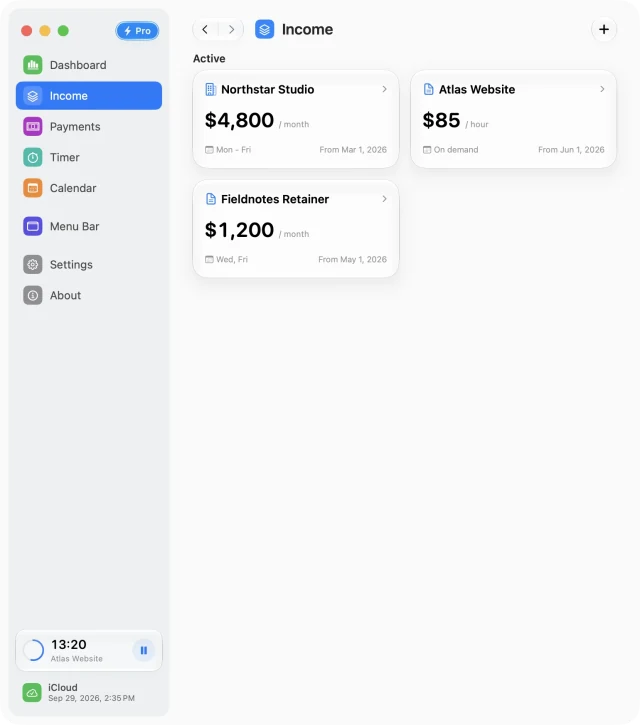
Choose a client or contract to set up first. A retainer fits a monthly source; a day rate fits a daily source; work billed by time fits an hourly source. Enter the agreed basis rather than estimating a monthly equivalent.
Set active dates and the work schedule for that contract. Name the source after the work so it stays recognizable when selecting it for a session or reviewing the calendar.
Decide how hourly work should count
For a fixed schedule, working hours can produce scheduled income. For work that varies from day to day, you can turn Working Hours off and use saved billable sessions linked to the hourly source.
- Open Timer and select the source for your work.
- Track the session with a stopwatch or Pomodoro, or add a manual entry afterwards.
- Review the saved work or focus session and enable Billable when it should contribute to that hourly source’s income.
Keep milestones and time off visible
Record project milestones and bonuses in Payments. Move their status from planned to confirmed or received as appropriate, and review whether each belongs in the forecast.
Use Calendar to add time off and other exceptions. A realistic schedule makes the expected month more useful than a calendar that assumes every week is identical.
Use a short weekly review
- Review Timer history for missing or unfinished records.
- Check payment statuses and upcoming milestones.
- Look ahead for days off or schedule changes.
- Compare the week and month on Dashboard using the same selected dates.
Start with one source for free. Add more with Pro when you need separate rates or schedules for additional ongoing clients. Invoices and bank reconciliation remain in the tools you already use for them.
Free for Mac · macOS 14 or later