

Choose how you are paid
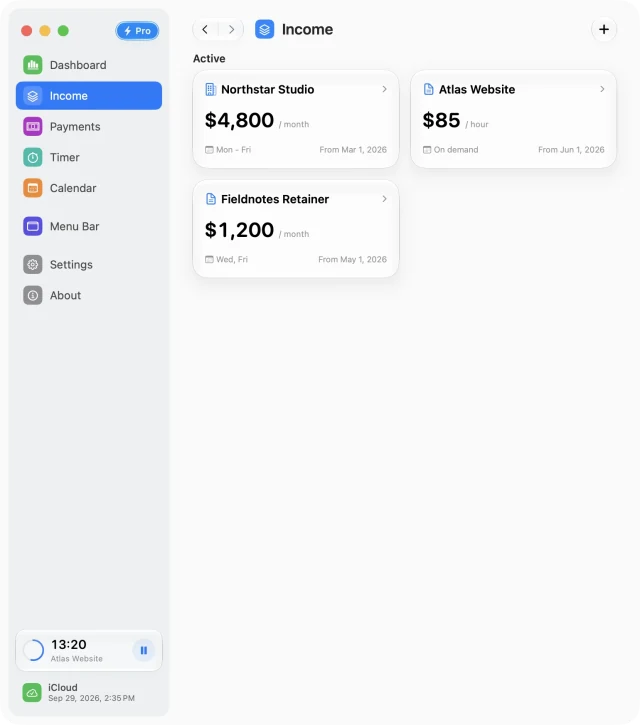
An income source represents an ongoing salary, contract, or other recurring work. Start with the source you want to follow most closely. Free includes one source; Pro lets you add more.
- Open Income in the sidebar and use the add button.
- Give the source a name you will recognize in the calendar, payment list, and timer. Choose its kind and, if you want, a picture or icon.
- Choose a monthly, daily, or hourly rate and enter the amount. Use the basis from your contract rather than converting it by hand.
- Set the source’s active dates. Work outside those dates does not belong to that source’s schedule.
Set a realistic work schedule
Choose the weekdays you normally work, then set working hours and breaks. These settings describe a typical week. Use the Calendar for exceptions such as a day off or a half day, so you do not have to rewrite the recurring schedule.
For hourly work, the Working Hours switch controls scheduled income. If you only want saved billable sessions to contribute, turn Working Hours off and keep the hourly rate. The selected weekdays remain part of the source’s setup.
Save and check the first week
Choose Save, then open Dashboard or Calendar. Check a few expected working days and a nonworking day. If a total surprises you, review the rate unit, active dates, hours, and breaks before adding more records.
You can return to the source to edit its details. Use Save to apply an edit or Cancel to leave the saved version unchanged.
Add another source when you need it
Separate sources are useful for a salary and a side contract, or two ongoing clients with different schedules. Pro unlocks creating additional sources. Inactive, future, and ended sources still count toward the source limit.
Free for Mac · macOS 14 or later